
Understanding and Fixing Core Web Vitals in 2026
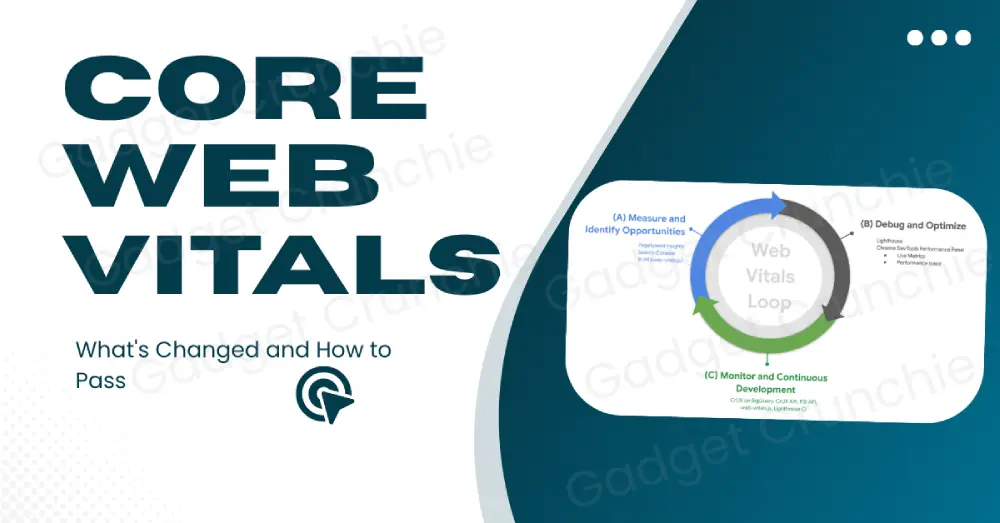
Core Web Vitals Thresholds (2026 Field Metrics)
| Metric | Good (Pass) | Needs Improvement | Poor |
|---|---|---|---|
| LCP (Largest Contentful Paint) | ≤ 2.5s | 2.5s – 4.0s | > 4.0s |
| CLS (Cumulative Layout Shift) | ≤ 0.1 | 0.1 – 0.25 | > 0.25 |
| INP (Interaction to Next Paint) | ≤ 200ms | 200ms – 500ms | > 500ms |
Optimizing for the Right Metrics
Fixing Interaction to Next Paint (INP)
INP fails when the main thread is blocked. Heavy JavaScript execution is usually the primary culprit. Break long tasks into smaller chunks. Use scheduler.yield() to hand control back to the browser between long-running scripts.
Third-party scripts kill INP silently. Load them with defer or async. Audit every active pixel and tag manager—one unoptimized script can push your response times from 180ms to over 600ms overnight.
Want to test your code performance live? Try the browser-based JS & CSS Tester.
Improving Largest Contentful Paint (LCP)
Your hosting environment matters more than most developers admit. A cheap shared host adds 400–800ms of Time to First Byte (TTFB) delay before a single pixel renders. Moving to a CDN-backed edge host can cut LCP by half immediately.
Preload your primary hero assets. Use <link rel="preload"> for above-the-fold elements and inline critical CSS to eliminate render-blocking stylesheets.
Experiencing main-thread delays? Learn How to Fix INP Issues on WordPress or read our guide on PageSpeed Resolve URL Errors.
How to Fix Core Web Vitals in WordPress Without Plugins
Cleaning Up the Header and Assets
WordPress loads default block library scripts and styles on pages that don't need them. Open your functions.php and dequeue unnecessary assets conditionally:
function remove_unused_assets() {
    // Dequeue default block library styles conditionally
    if (!is_single()) {
        wp_dequeue_style('wp-block-library');
    }
    // Remove default jQuery on landing pages if unneeded
    if (is_front_page()) {
        wp_dequeue_script('jquery');
    }
}
add_action('wp_enqueue_scripts', 'remove_unused_assets', 100);
ByteScript MZA Performance Guides
Watch step-by-step video tutorials on site optimization.
Server Compression & Native Lazy-Loading
Brotli compresses assets 15–20% better than Gzip. Enable server-level compression inside your Apache .htaccess or Nginx configuration:
<IfModule mod_deflate.c>
  AddOutputFilterByType DEFLATE text/html text/css application/javascript
</IfModule>
Bypass heavy lazy-loading plugins and use standard HTML attributes:
<!-- Hero image: Priority loading (No lazy load) -->
<img src="hero.webp" alt="Hero" fetchpriority="high" width="1200" height="630" />

<!-- Below-the-fold images: Native lazy loading -->
<img src="content.webp" alt="Content" loading="lazy" width="800" height="450" />
Eliminating Layout Shifts for Better UX
Handling Dynamic Ad Units and Font Swaps
Fonts swapping late cause sudden text shifts. Fix this with font-display: optional or by preloading key font files.
Ad slots and dynamic banners are frequent CLS offenders. Reserve minimum height wrappers before ads inject content:
.ad-wrapper {
  min-height: 250px;
  width: 100%;
  contain: layout;
}
Frequently Asked Questions
Clear answers to common questions about this topic.
Need Help Passing Core Web Vitals?
Get a comprehensive technical speed audit and code-level optimization consulting to eliminate your performance bottlenecks.

Muhammad Zubair Abid
Full-Stack Developer & Founder of Gadget Crunchie. Expert in SEO, Web Performance, and Tech Reviews.